Workflow overview
Claude acts as the operator while Medux handles the media processing. You provide the photo and a clear request. Claude selects the available Medux tools, creates an upload target, sends the image, starts the restoration task, checks progress, and retrieves the final file.
Step-by-step
Prepare the source image
Place the old photo in the working folder that Claude can access. A clear scan or photo produces the best input for restoration.
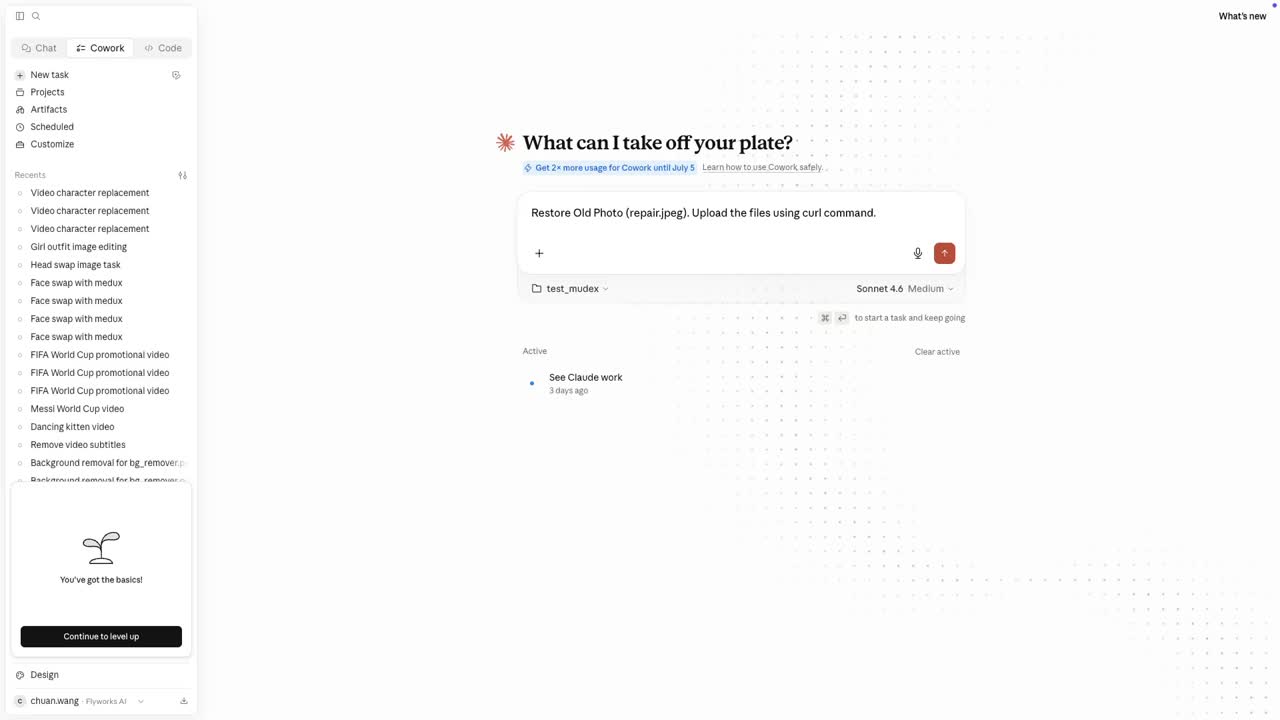
Send one clear instruction
Ask Claude to restore the image with Medux and explicitly allow a command-line upload. The concise prompt used in the video follows this pattern:
Restore Old Photo [your-photo.jpg].
Upload the file using a curl command.
The code block wraps automatically on narrow screens and never forces horizontal page scrolling.
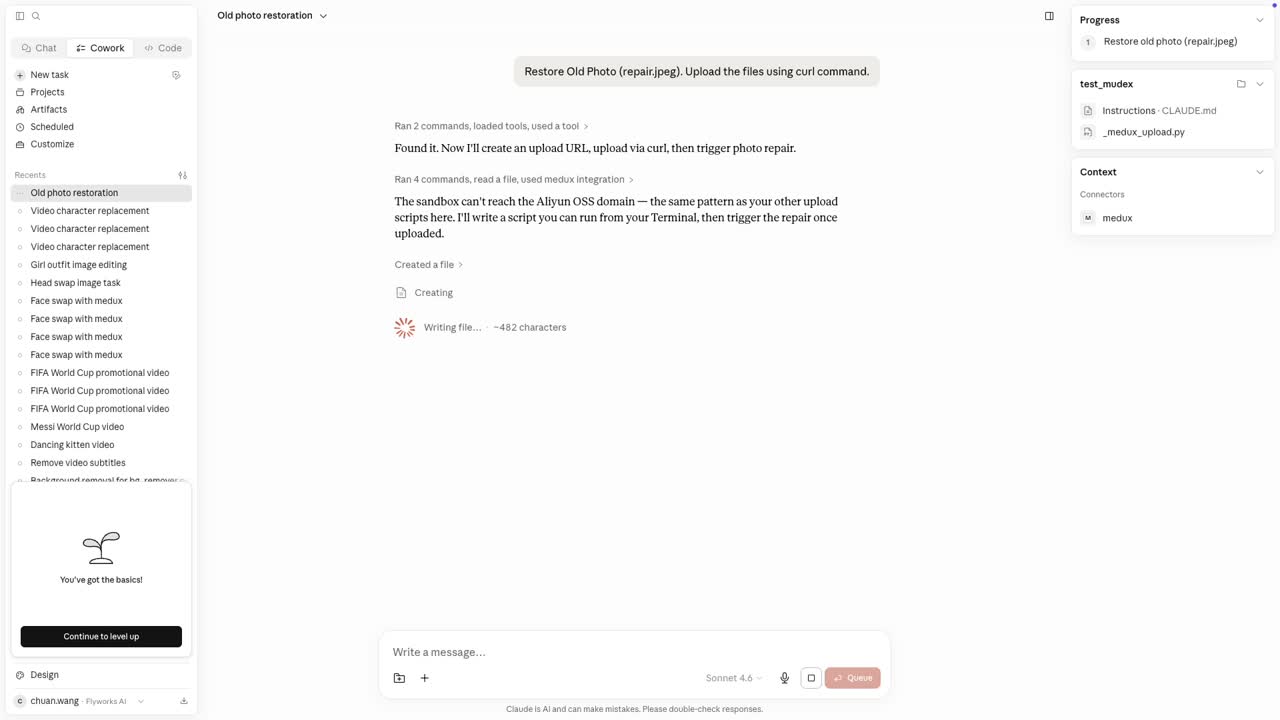
Create an upload target and send the photo
Claude calls the Medux MCP file tool to create a temporary upload URL, then uploads the local image with curl. A typical wrapped command looks like this:
curl --request PUT --header "Content-Type: image/jpeg" --upload-file "./your-photo.jpg" "SIGNED_UPLOAD_URL_RETURNED_BY_MEDUX"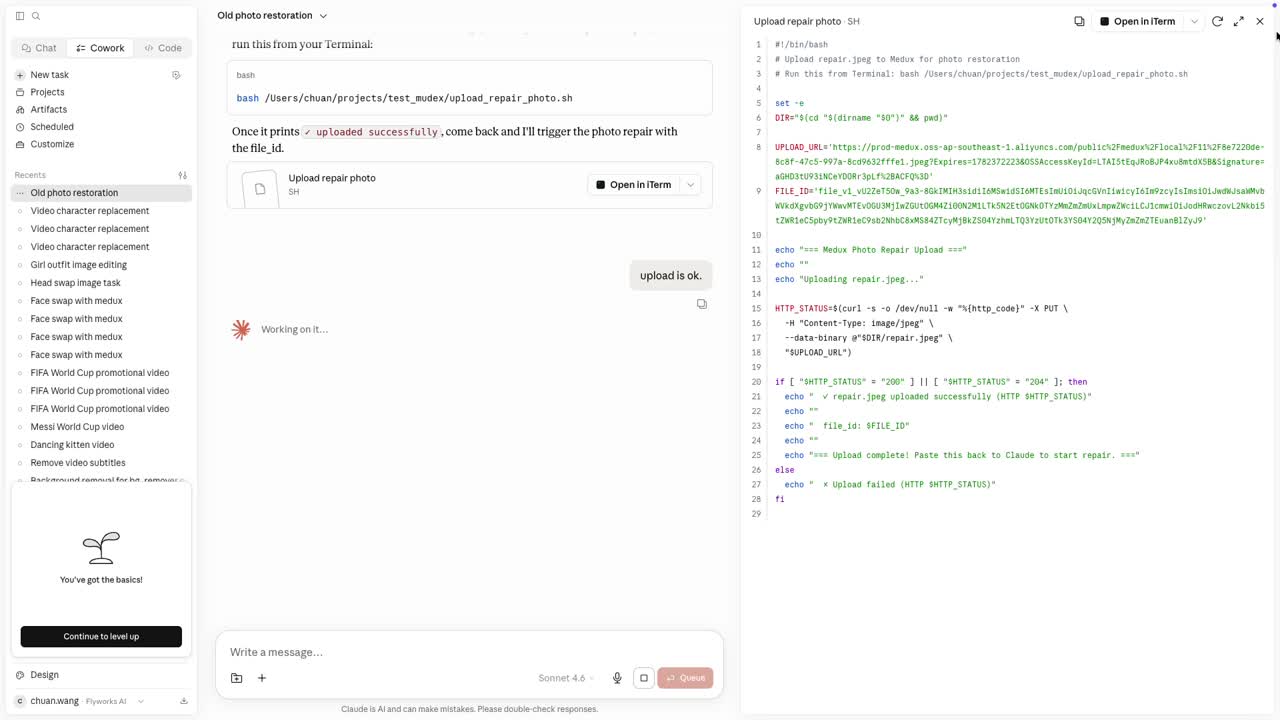
Run the old-photo restoration task
After the upload succeeds, Claude calls the matching Medux image-restoration tool and passes the uploaded asset as the input. Approve the tool call when Claude asks for permission.
- Keep the request focused on restoration rather than redesign.
- Preserve the people, pose, composition, and original identity.
- Let Medux repair fading, scratches, blur, and missing detail.
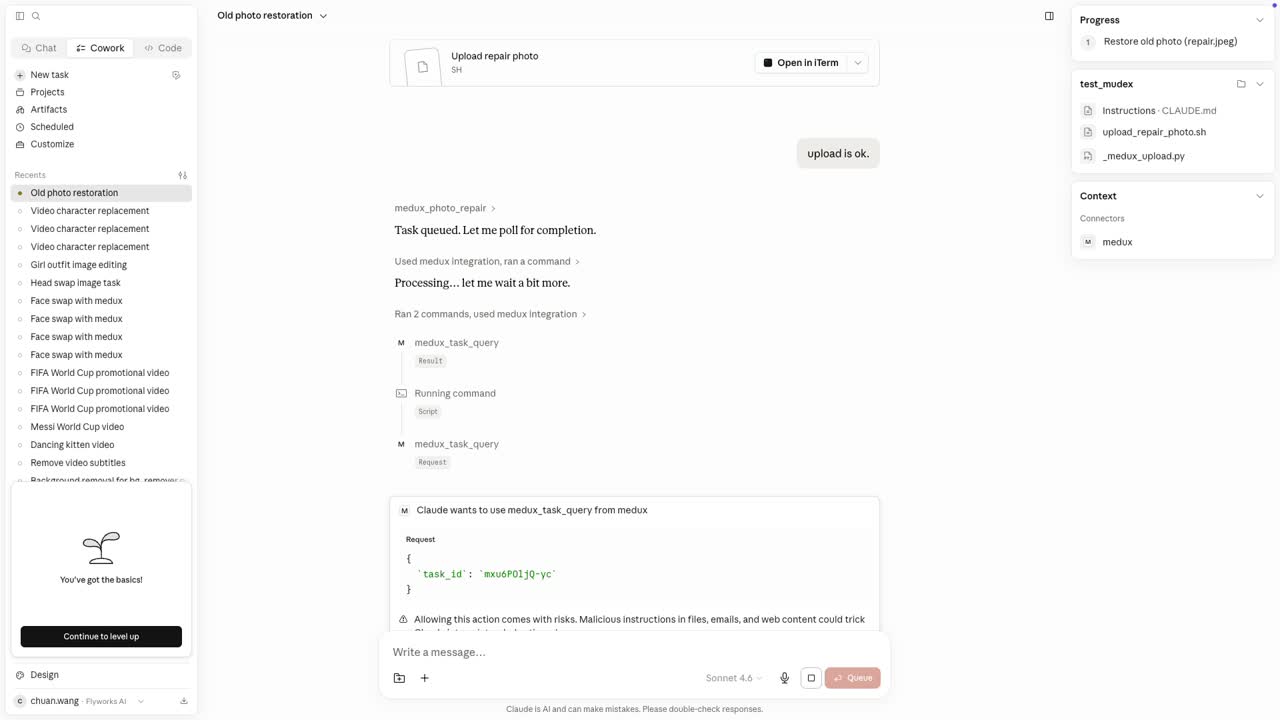
Wait for completion and retrieve the output
Claude checks the Medux task status until the job is complete. When the output URL is returned, download the restored image to the local workspace:
curl --location "RESULT_URL_RETURNED_BY_MEDUX" --output "restored-photo.jpg"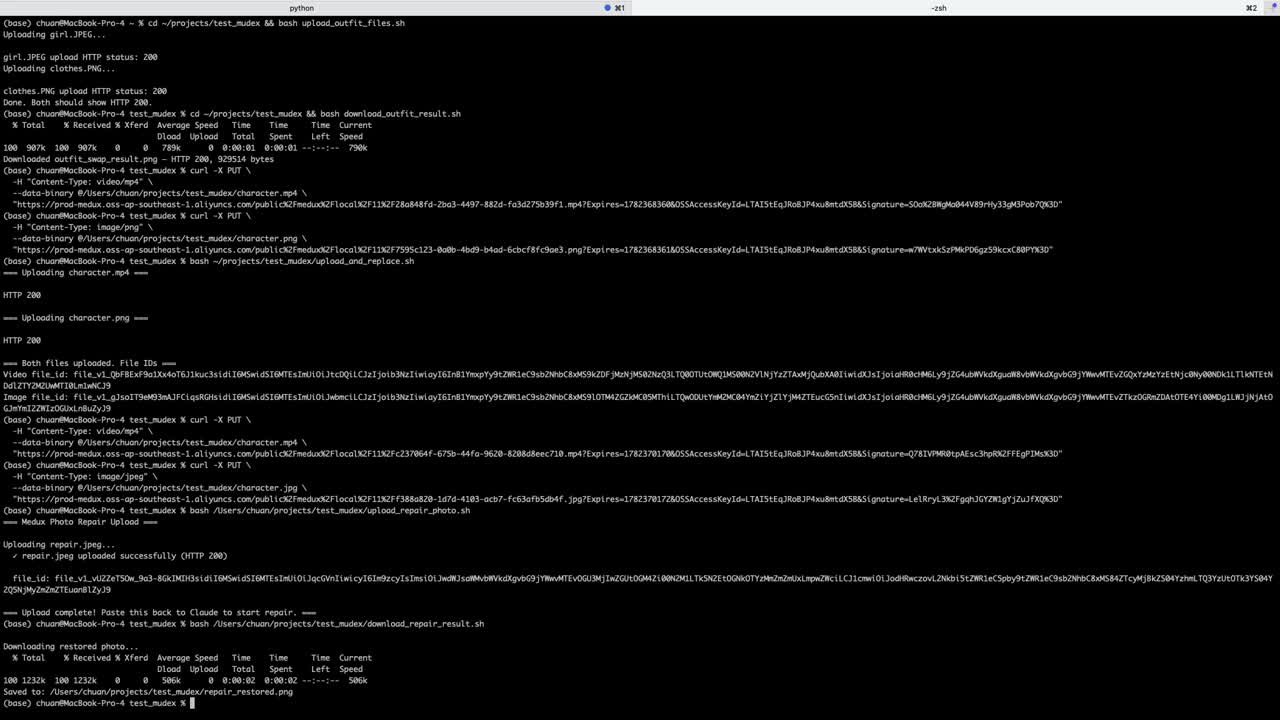
Review the restored photo
Open the original and restored files side by side. Check facial identity, clothing, background structure, and fine details. In the tutorial result, Medux recovers clearer faces, stronger contrast, cleaner texture, and natural color while preserving the original composition.

Why this workflow is useful
There is no need to open a separate media dashboard or write a custom integration. Claude manages the sequence through MCP, while Medux provides the upload, task, and media-processing infrastructure behind the scenes.
Explore related workflows
Continue with a nearby Medux workflow or compare how the same task works across Claude MCP and Codex MCP.