How to restore old photos with Codex MCP and Medux

Use Codex and Medux through MCP to repair damage and fading in an old photograph. This guide covers input preparation, the approval gate, task monitoring, and a concrete output check.

Watch the complete workflow: AI old photo restoration with Codex, MCP, and Medux. Watch on YouTube ↗

Codex-specific workflow

Run Restore Old Photos with AI as a Codex MCP task

Use the active workspace as the source of truth. Ask Codex to identify the source photograph and any restoration constraints, select the Medux photo restoration tool, and keep the Medux task ID and returned output with the rest of the project. Naming the input roles and the expected result prevents an agent from guessing which file should be used where.

Codex prompt pattern

In this workspace, use the Medux photo restoration tool through Medux MCP to restore old photos.
First inspect and identify the source photograph and any restoration constraints.
Show me the exact tool arguments before execution.
After the task completes, return the restored image and verify that damage is reduced while the original subject, composition, and important details remain recognizable.

Approval gate

Before approving the call, compare the selected tool, file or asset IDs, ordering, timing, and output settings with the request. If a local filename was mapped to an uploaded Medux file ID, keep that mapping visible so it can be audited later.

Result verification

Let Codex monitor an asynchronous task until it reaches a terminal state, then save or report the restored image. The final check is explicit: confirm that damage is reduced while the original subject, composition, and important details remain recognizable.

Before you start

The video uses a simple input file named repair.jpeg. Codex already has access to the project workspace and can reach the Medux MCP tools from the same chat.

InputOne old portrait photo, saved in the workspace as repair.jpeg.
OutputA restored file named repair_restored.png, downloaded back into the same workspace.
User prompt:
Using medux to restore Old Photo (repair.jpeg).

Workflow steps

Find source photo
Select Medux tool
Upload image
Run repair task
Save result
01

Ask Codex to restore the old photo

Start with a direct instruction. Codex reads the request, locates repair.jpeg, and checks which Medux capabilities are available in the MCP session.

Codex locating repair.jpeg and checking Medux capabilities
Codex begins by finding the source image and preparing the Medux restoration route.
02

Create an upload URL and send the source image

Codex uses the Medux upload primitive to create a signed upload URL, then pushes the local JPEG to Medux. This keeps the media transfer inside the agent workflow instead of requiring a separate dashboard.

# Behind the scenes, Codex handles a flow like this:
medux.create_upload_url --filename repair.jpeg --content-type image/jpeg
curl -X PUT "$MEDUX_UPLOAD_URL"   -H "Content-Type: image/jpeg"   --data-binary "@repair.jpeg"
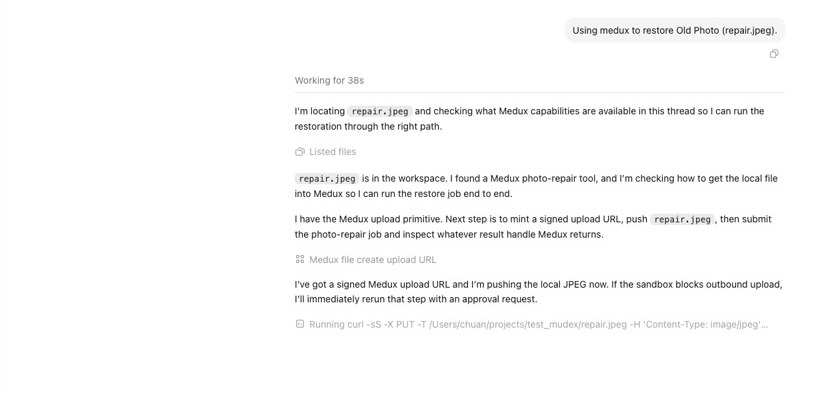
Codex creates a Medux upload URL and uploads repair.jpeg
The upload step prepares the image so Medux can process it as a task asset.
03

Submit the Medux photo-repair job

After the file is uploaded, Codex submits the repair request to the Medux photo-repair tool. The job is then queued and moved into processing.

# Conceptual MCP flow:
medux.photo_repair --input "$MEDUX_FILE_URL"
medux.task_query --task-id "$TASK_ID"
04

Poll the task until the restored image is ready

Codex keeps checking the task status, so the workflow stays hands-free. When Medux moves the job to PROCESSING, Codex waits briefly and asks for the result again.
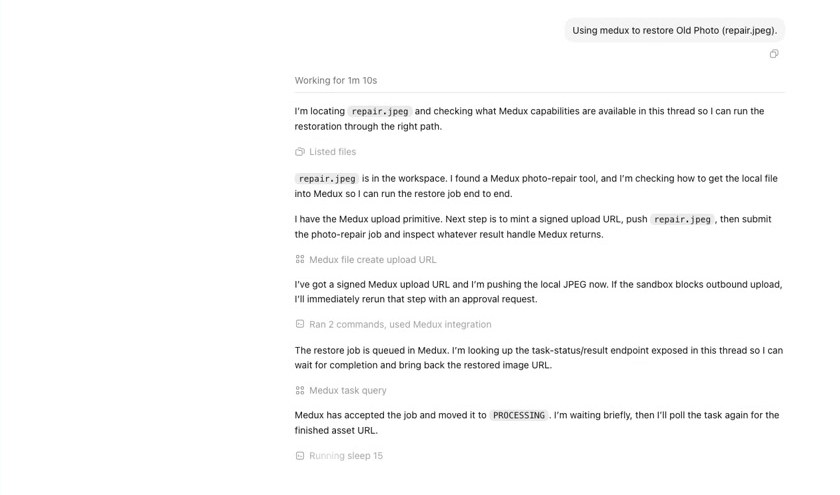
Codex polling the Medux photo repair task
Task polling is useful for longer AI media jobs because Codex can keep the process moving without manual refreshes.
05

Download the restored PNG to the workspace

When the Medux job finishes, Codex downloads the generated result instead of leaving it as a remote CDN link only. In the video, the final file is saved as repair_restored.png.
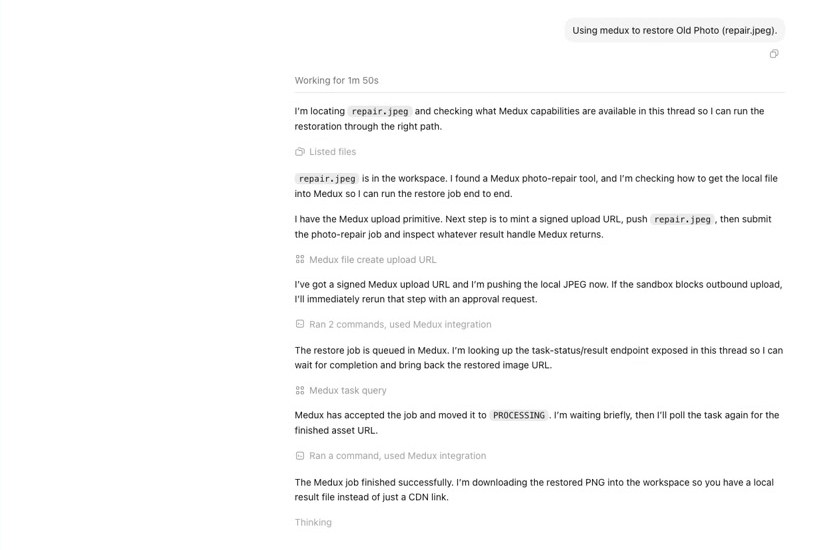
Codex downloads the completed Medux restoration result
Codex reports that the Medux job finished successfully and brings the restored PNG back into the local project.

Result preview

The sample run repairs the portrait and produces a cleaner, colorized, higher-resolution PNG while preserving the original composition.
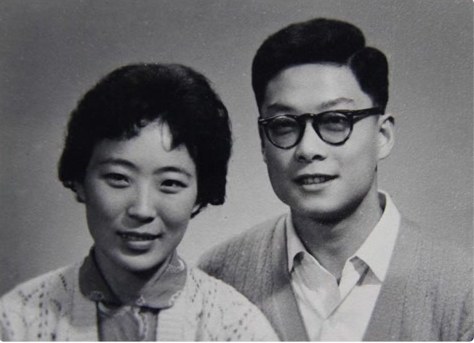

Before · repair.jpeg
Original black and white old photo before restoration
After · repair_restored.png
Colorized and restored old portrait after Medux processing
The video notes that this Medux photo-repair run does more than scratch cleanup: it also colorizes and restyles the portrait. For a conservative black-and-white restoration, run a second pass with that preference stated clearly in the prompt.

Why this workflow is useful

Medux provides the media-processing layer, while Codex handles the operational details: finding files, choosing the right MCP tool, uploading assets, tracking task status, and saving the final output. That makes old-photo restoration easy to repeat and easy to plug into a larger content pipeline.

No manual dashboard switching
No custom upload script
Final asset saved locally

Example result

src / rst demonstration

Below is the complete restoration example: src is the original old photo, and rst is the restored result generated by Medux.
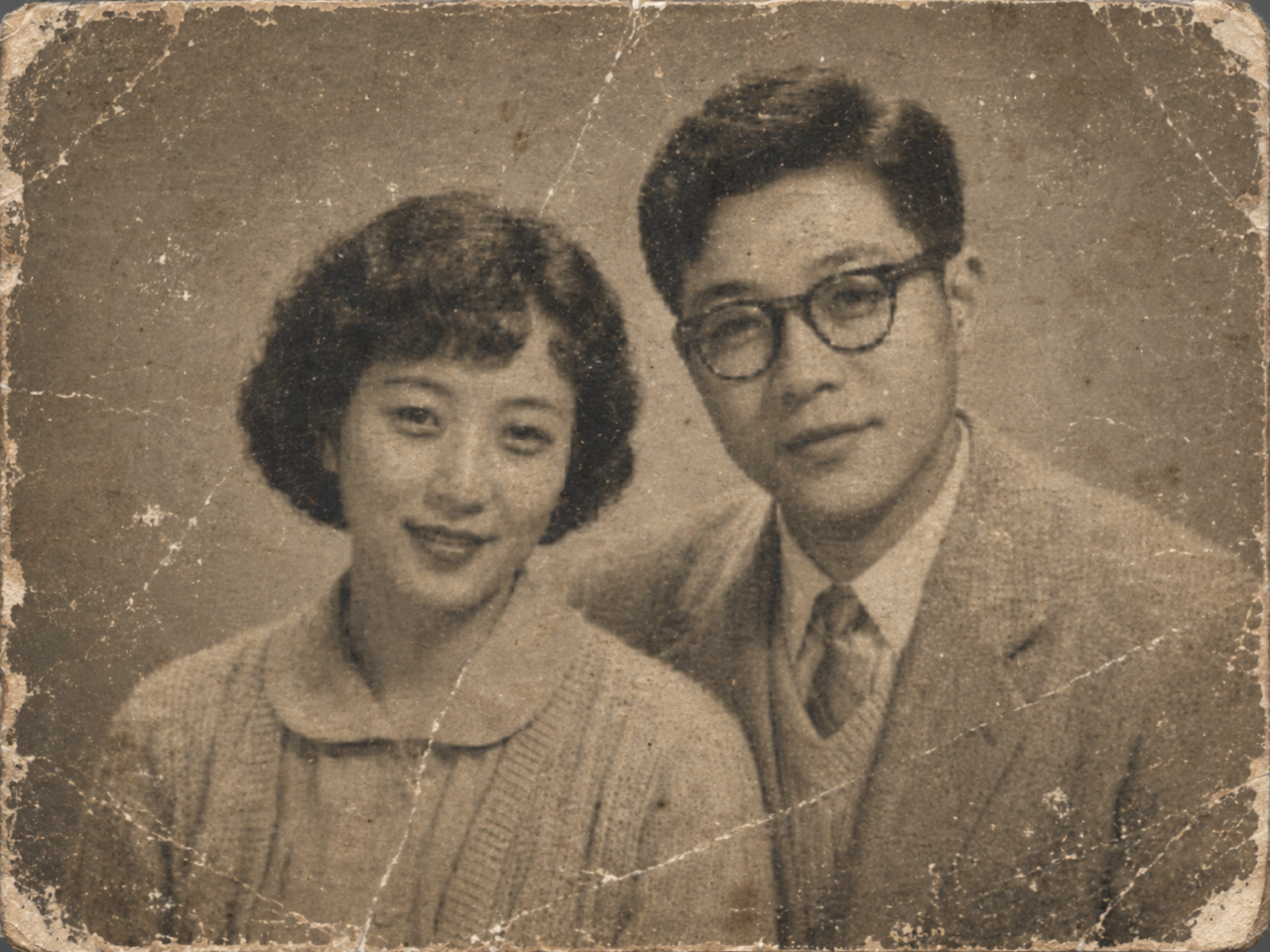

src
Original old photo before restoration
Source image. Original old photo used as the restoration input.
rst
Restored photo result generated by Medux
Generated result. Final restored photo generated by Medux.

Quick answer

How do I run Restore Old Photos with AI with Codex MCP?

Codex can use the Medux photo restoration tool through Medux MCP to repair damage and fading in an old photograph. The workflow identifies the exact inputs, reviews the tool arguments, monitors processing, and verifies the returned result.

What does this Medux tutorial cover?

Codex can use the Medux photo restoration tool through Medux MCP to repair damage and fading in an old photograph. The workflow identifies the exact inputs, reviews the tool arguments, monitors processing, and verifies the returned result.

Related topics: Restore Old Photos with AI · Restore Old Photos with AI with Codex MCP · Medux MCP tutorial