Put the source video in your Codex workspace
Open the project that already has the Medux MCP server connected. Place the video you want to clean in the workspace so Codex can access it directly.
/Users/chuan/projects/test_mudex/remove_subtitle.mp4

Learn to remove subtitles from a video with the Medux API through Codex or Claude MCP. Check inputs, tool calls, task status, and output.
The Medux operation and request fields are shared. Switch tabs for the client-specific prompt, approval pattern, screenshots, and walkthrough.
Codex-specific workflow
Use the active workspace as the source of truth. Ask Codex to identify the source video and any subtitle region or processing options, select the Medux subtitle-removal tool, and keep the Medux task ID and returned output with the rest of the project. Naming the input roles and the expected result prevents an agent from guessing which file should be used where.
In this workspace, use the Medux subtitle-removal tool through Medux MCP to remove subtitles from a video.
First inspect and identify the source video and any subtitle region or processing options.
Show me the exact tool arguments before execution.
After the task completes, return the subtitle-free video and verify that the visible subtitles are removed through the required frames and the full video plays correctly.
Before approving the call, compare the selected tool, file or asset IDs, ordering, timing, and output settings with the request. If a local filename was mapped to an uploaded Medux file ID, keep that mapping visible so it can be audited later.
Let Codex monitor an asynchronous task until it reaches a terminal state, then save or report the subtitle-free video. The final check is explicit: confirm that the visible subtitles are removed through the required frames and the full video plays correctly.
The video tutorial shows a compact agent workflow: prepare the file, give Codex the task, upload the asset to Medux, start subtitle removal, poll the task, then download and preview the result.
remove_subtitle.mp4.Open the project that already has the Medux MCP server connected. Place the video you want to clean in the workspace so Codex can access it directly.
/Users/chuan/projects/test_mudex/remove_subtitle.mp4

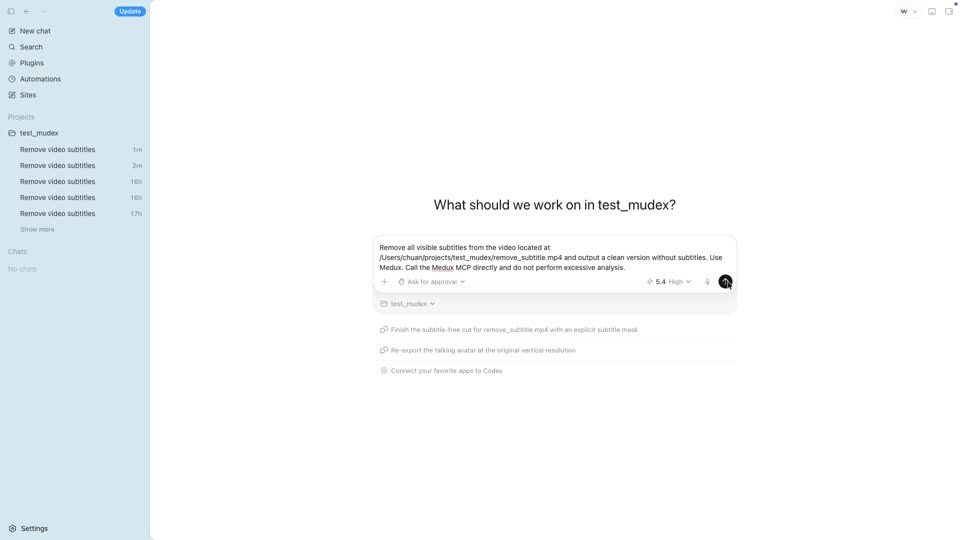
Keep the instruction direct. Tell Codex which file to use, what result you want, and that it should call Medux through MCP instead of doing unnecessary local analysis.
Remove all visible subtitles from the video located at /Users/chuan/projects/test_mudex/remove_subtitle.mp4 and output a clean version without subtitles. Use Medux. Call the Medux MCP directly and do not perform excessive analysis.
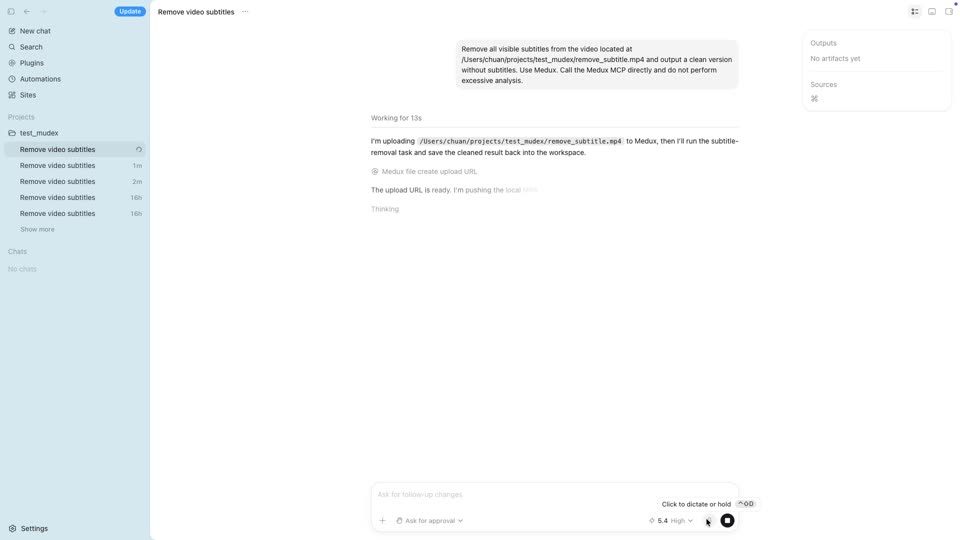
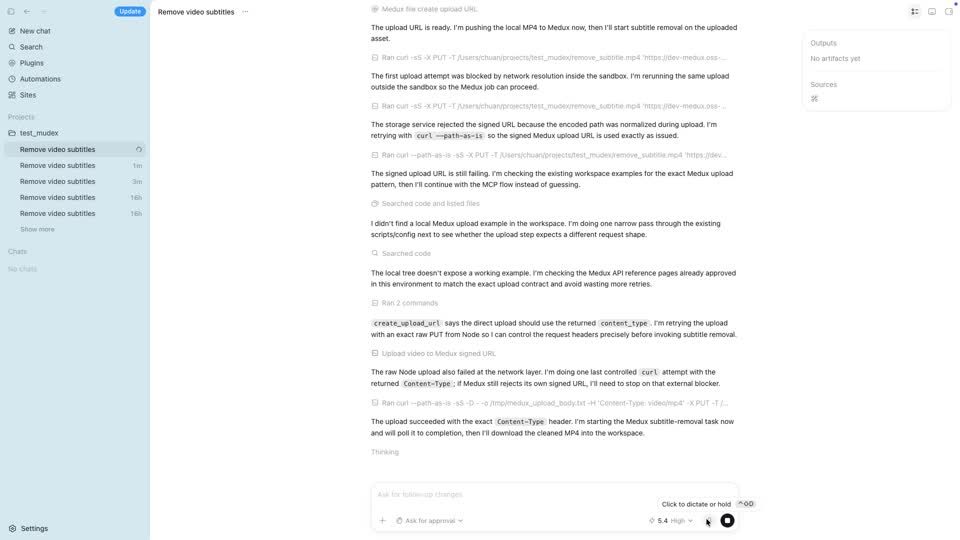
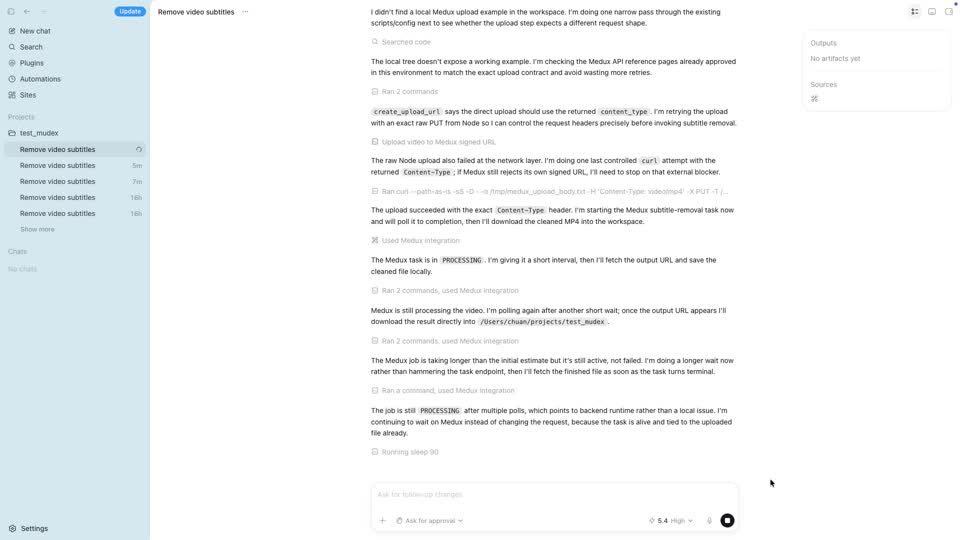
Codex asks Medux for an upload target, then sends the local MP4 to that signed URL. In the recorded flow, Codex also keeps the upload request precise by using the returned content type.
curl --path-as-is -X PUT -T ./remove_subtitle.mp4 -H "Content-Type: video/mp4" "<medux_signed_upload_url>"

After the upload succeeds, Codex calls the Medux processing workflow. Medux handles the actual subtitle removal in the cloud, while Codex keeps the job organized inside the same chat.
Medux MCP action:
- input: uploaded MP4 asset
- task: remove visible subtitles
- output: cleaned MP4

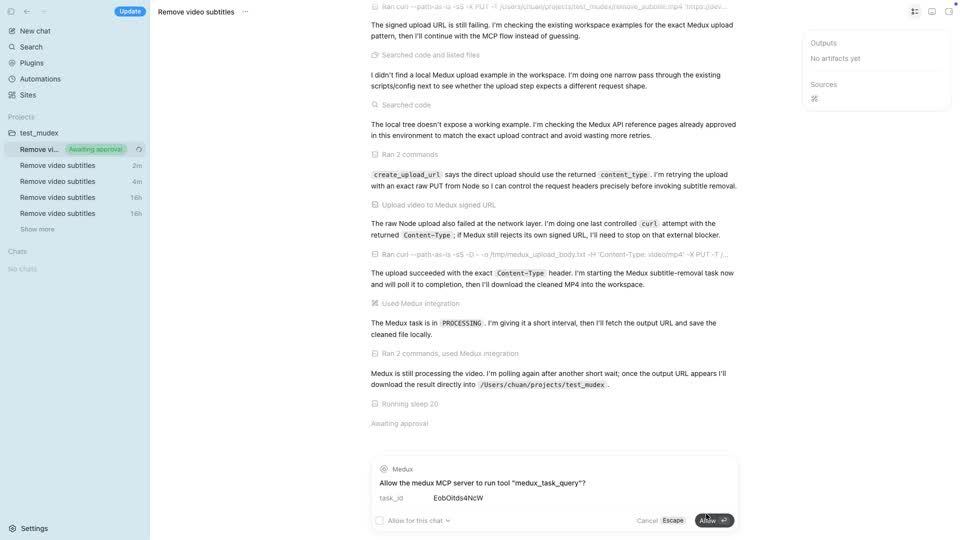
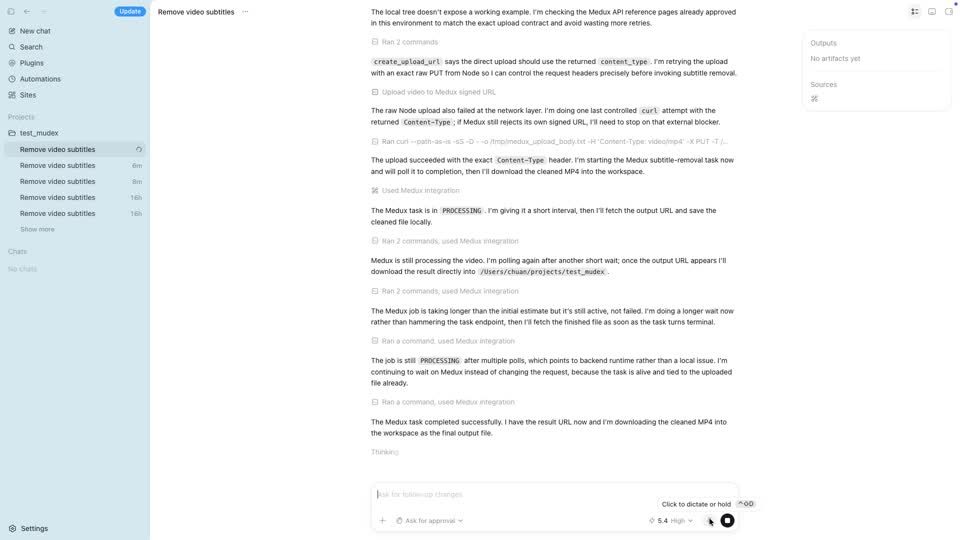
When Codex needs permission to query the Medux task, approve the MCP call. Codex then checks the task status at intervals until Medux returns the final output URL.
Medux task status:
PROCESSING → PROCESSING → COMPLETED


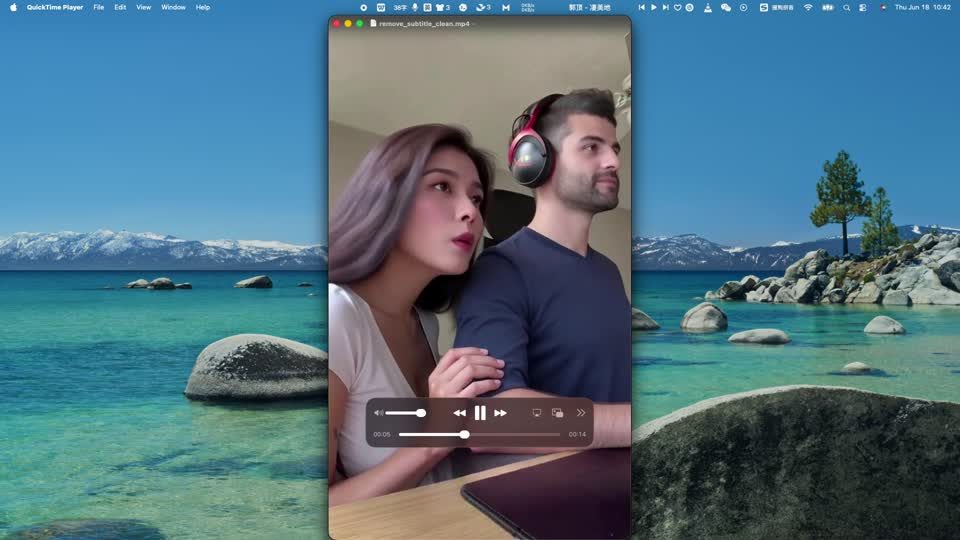
When the task completes, Codex downloads the cleaned MP4 back into the workspace. Open the result and preview it to confirm that the visible subtitles are gone.
clean output:
/Users/chuan/projects/test_mudex/remove_subtitle_clean.mp4


Before you post the tutorial on your site, docs, blog, or social channels, keep the story focused on the agent workflow: Codex gives instructions, Medux processes the video, and the final clean asset returns to the workspace.
Example result
Play the final video below to review the subtitle-removal result generated by Medux.
Continue with a nearby Medux workflow or compare how the same task works across Claude MCP and Codex MCP.
Claude-specific workflow
Keep the goal, source assets, and constraints together in the conversation. Ask Claude to restate the source video and any subtitle region or processing options before proposing medux_video_remove_subtitle. That context checkpoint makes the file roles and desired outcome easy to correct before any Medux call is approved.
Using the assets and requirements in this conversation, help me remove subtitles from a video with Medux MCP.
Restate which input fulfills each role: the source video and any subtitle region or processing options.
Propose the medux_video_remove_subtitle call and summarize its arguments before asking for approval.
When it finishes, return the subtitle-free video with a checklist confirming that the visible subtitles are removed through the required frames and the full video plays correctly.
Have Claude summarize the intended transformation, identify every source asset by role, and list the important constraints. Review that summary together with the proposed tool arguments; correct the conversation first if a file, order, time range, or setting is ambiguous.
Keep the Medux task ID in the conversation while Claude checks progress. When processing ends, ask for the subtitle-free video plus a concise validation checklist confirming that the visible subtitles are removed through the required frames and the full video plays correctly.
Create a video processing task that removes subtitles from an uploaded video.
Claude selects medux_video_remove_subtitle, presents the arguments for review, calls Medux, and reports the response.
Start with a clear instruction that names the Medux operation and the intended inputs.
Remove burned-in subtitles from the uploaded source video {file id}. If the subtitle area is known, pass region {x, y, width, height}.Confirm these values before approving the MCP tool call. The linked API page remains the source of truth for current limits and response semantics.
| Field | Type | Requirement | Purpose |
|---|---|---|---|
file_id | string | Required | Provide the value described in the API reference. |
region.height | int32 | Optional | Provide the value described in the API reference. |
region.width | int32 | Optional | Provide the value described in the API reference. |
region.x | int32 | Optional | X coordinate of the region's top-left corner in pixels. |
region.y | int32 | Optional | Y coordinate of the region's top-left corner in pixels. |
title | string | Optional | Provide the value described in the API reference. |
Add the Medux remote MCP endpoint to Claude, provide an authorized credential, and confirm that the medux_video_remove_subtitle tool is available.
Prepare the source files, asset IDs, text, or settings required by the operation. Upload local media first when the tool requests file IDs.
Use one direct instruction with the intended values. Claude should select the Medux tool and show the proposed arguments before execution.
Check that the tool is medux_video_remove_subtitle and that each file ID, task ID, option, and output setting matches your request before approving it.
If Medux returns an asynchronous task, let the agent monitor it until completion; otherwise review the immediate response and save any result identifiers or output URLs.
User goal
↓
Claude selects medux_video_remove_subtitle
↓
Review inputs and approve the tool call
↓
Medux runs Create Video Subtitle Removal
↓
Claude reports the response and outputClaude can call the medux_video_remove_subtitle Medux MCP tool to create a video processing task that removes subtitles from an uploaded video. This guide covers the required inputs, approval flow, result handling, and the matching API reference.
This workflow uses medux_video_remove_subtitle. Review its arguments before approval and consult the API reference for the current contract.