How to replace a character in a video with Codex MCP and Medux

Use Codex and Medux through MCP to replace a video character using a source clip and reference character image. This guide covers input preparation, the approval gate, task monitoring, and a concrete output check.

Watch the complete workflow: AI video character replacement with Codex, MCP, and Medux. Watch on YouTube ↗

Codex-specific workflow

Run AI Video Character Replacement as a Codex MCP task

Use the active workspace as the source of truth. Ask Codex to identify the source video, reference character image, and replacement instructions, select medux_video_character_replacement, and keep the Medux task ID and returned output with the rest of the project. Naming the input roles and the expected result prevents an agent from guessing which file should be used where.

Codex prompt pattern

In this workspace, use medux_video_character_replacement through Medux MCP to replace a character in a video.
First inspect and identify the source video, reference character image, and replacement instructions.
Show me the exact tool arguments before execution.
After the task completes, return the character-replaced MP4 and verify that the intended character is replaced consistently and the video plays from start to finish.

Approval gate

Before approving the call, compare the selected tool, file or asset IDs, ordering, timing, and output settings with the request. If a local filename was mapped to an uploaded Medux file ID, keep that mapping visible so it can be audited later.

Result verification

Let Codex monitor an asynchronous task until it reaches a terminal state, then save or report the character-replaced MP4. The final check is explicit: confirm that the intended character is replaced consistently and the video plays from start to finish.

Before you start

The video uses a simple two-asset setup. Keep the filenames easy to reference so Codex can plan the flow without extra clarification.

1. Source video

Use a video that contains the person you want to replace. In the demo, the file is named character.mp4.

2. Reference image

Use a clear character image as the replacement target. In the demo, the file is named character.jpg.

project/
├── character.mp4   # source video with the original person
└── character.jpg   # reference character image for replacement

Workflow overview

The whole task can be summarized as five steps.

Ask Codex
Create upload URLs
Upload assets
Run Medux task
Download result
01

Give Codex a focused instruction

Tell Codex exactly which video to process, which image to use as the character reference, and how the files should be uploaded. This avoids a vague creative prompt and turns the task into an executable media workflow.

Perform a video character replacement by replacing the person in character.mp4 with the character from character.jpg. Upload the files using curl commands.
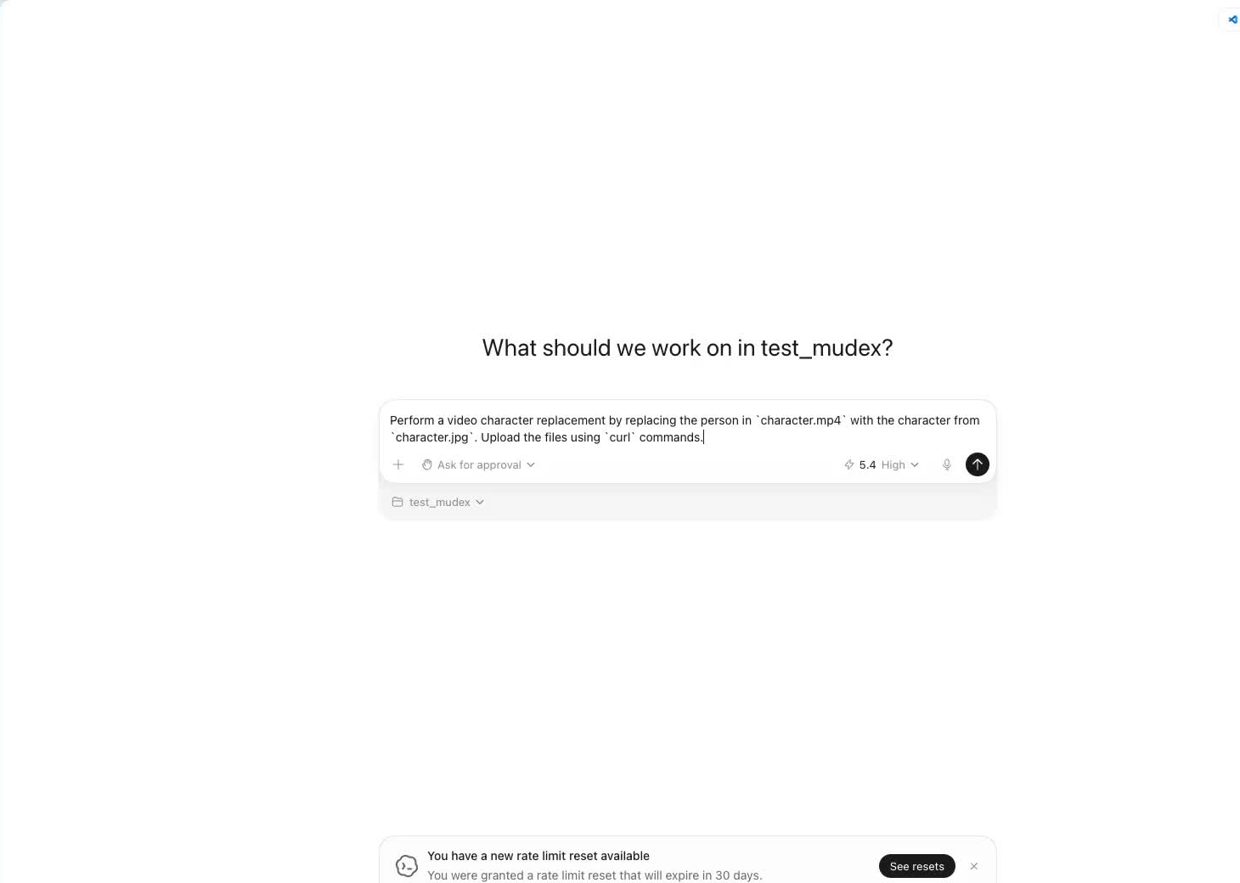
Codex receives the character replacement prompt
Codex starts from a practical task description instead of a manual API script.
02

Let Codex inspect the workspace and choose the Medux path

Codex checks the project files, looks for existing upload or replacement scripts, and confirms the Medux API flow. In the demo, Codex finds a direct path: generate fresh upload URLs, upload both local files, submit the character replacement task, and poll it to completion.
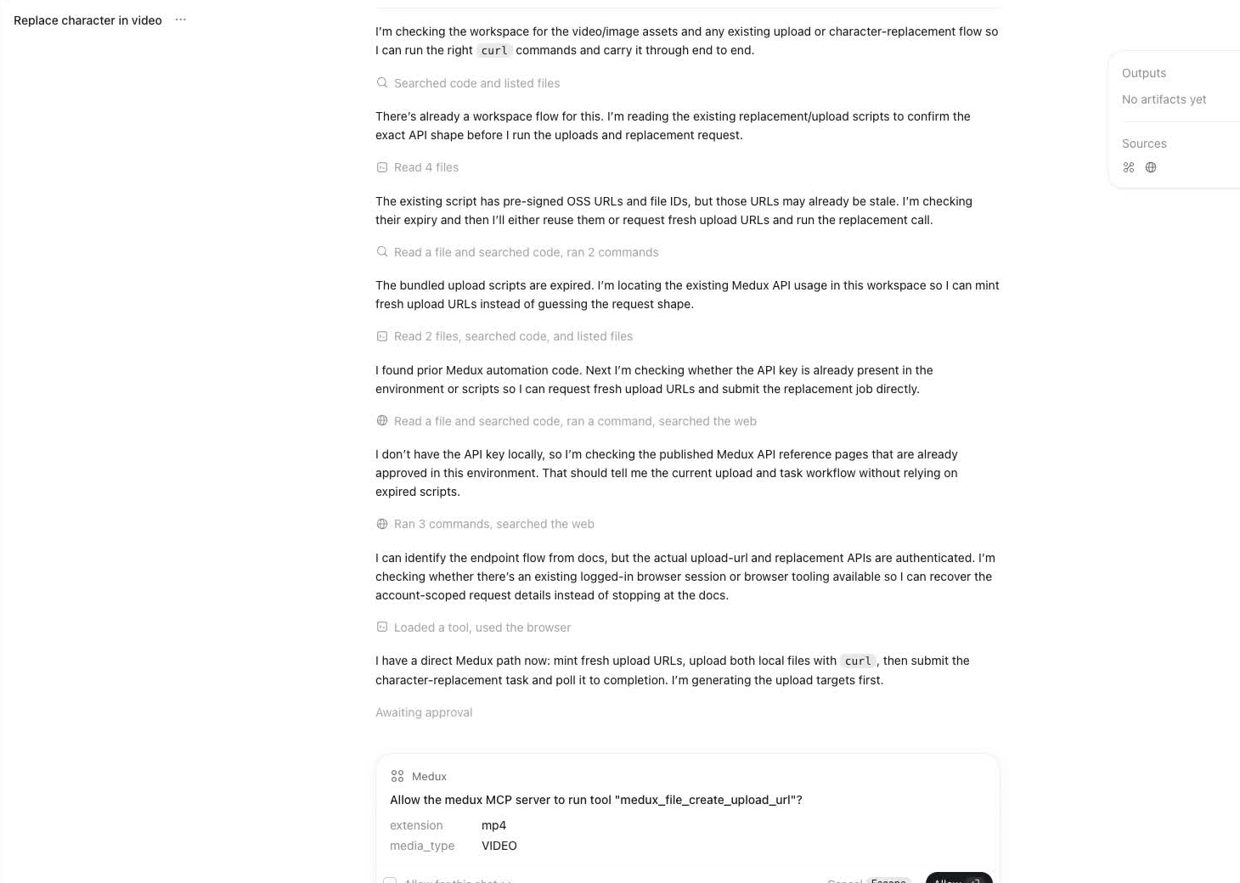
This is where MCP is useful: Codex does not need you to manually jump between dashboards. It can call the Medux MCP tools from the current workspace.
Codex prepares Medux upload URLs
Codex prepares fresh upload targets for the MP4 video and JPG character image.
03

Approve the Medux MCP upload and replacement calls

Codex asks for permission before it runs Medux tools. First it creates upload URLs for the video and image. Then it uploads the assets with curl. After both uploads return successfully, Codex submits the replacement job.

# Example upload shape. The real URL is generated by Medux.
curl -X PUT "<MEDUX_PRESIGNED_UPLOAD_URL>"   -H "Content-Type: video/mp4"   --upload-file "character.mp4"

curl -X PUT "<MEDUX_PRESIGNED_UPLOAD_URL>"   -H "Content-Type: image/jpeg"   --upload-file "character.jpg"

For the replacement request, Codex passes the uploaded file IDs into the Medux video character replacement tool.

medux_video_character_replacement(
  source_video_file_id="<uploaded_video_file_id>",
  target_character_image_file_id="<uploaded_image_file_id>",
  title="character.mp4 character replacement"
)
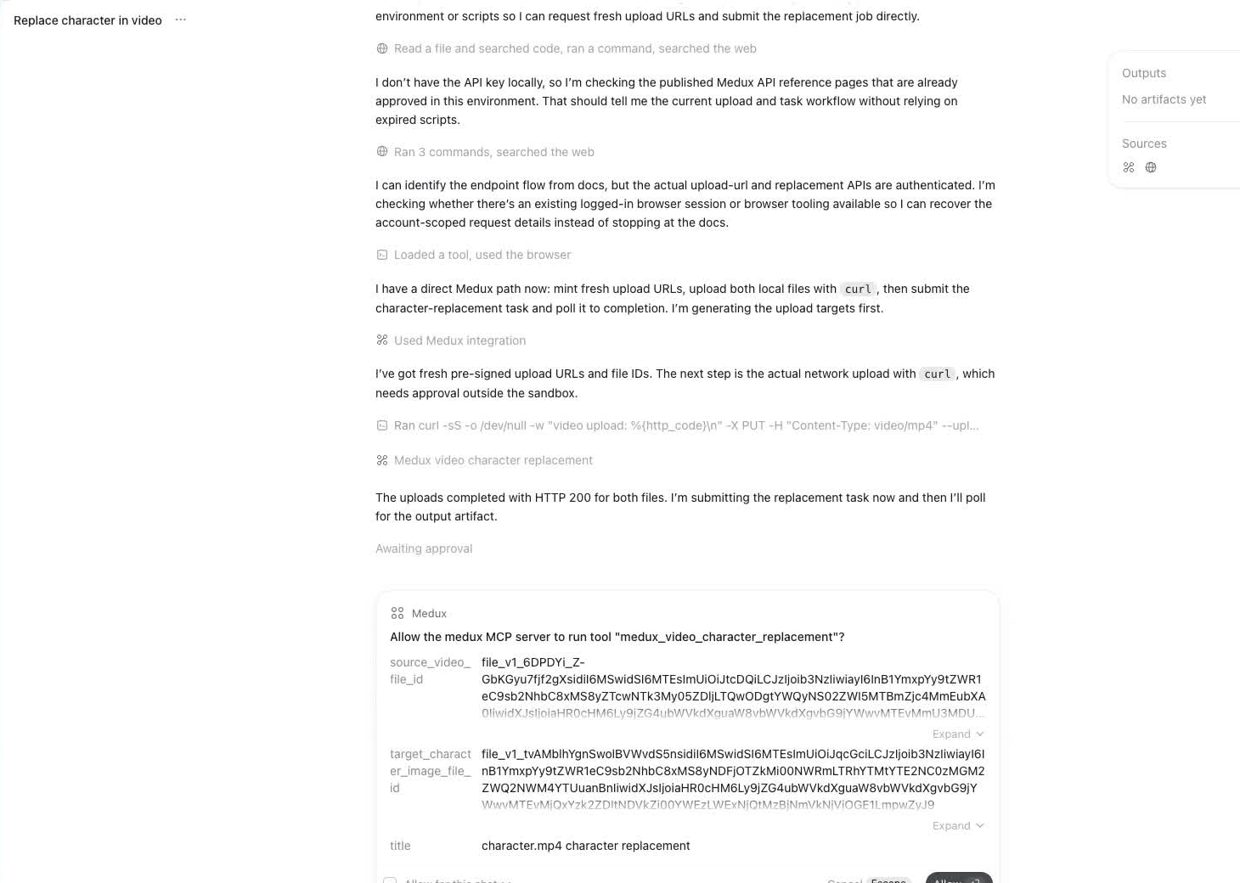
Medux video character replacement MCP approval
After the upload completes, Codex submits the character replacement task through Medux MCP.
04

Poll the Medux task until the render is ready

Video generation takes longer than a quick image edit, so Codex keeps checking the same task instead of restarting it. The status moves from QUEUED to PROCESSING, then finishes when Medux returns the output URL.

# Status flow shown in the tutorial
QUEUED → PROCESSING → SUCCEEDED
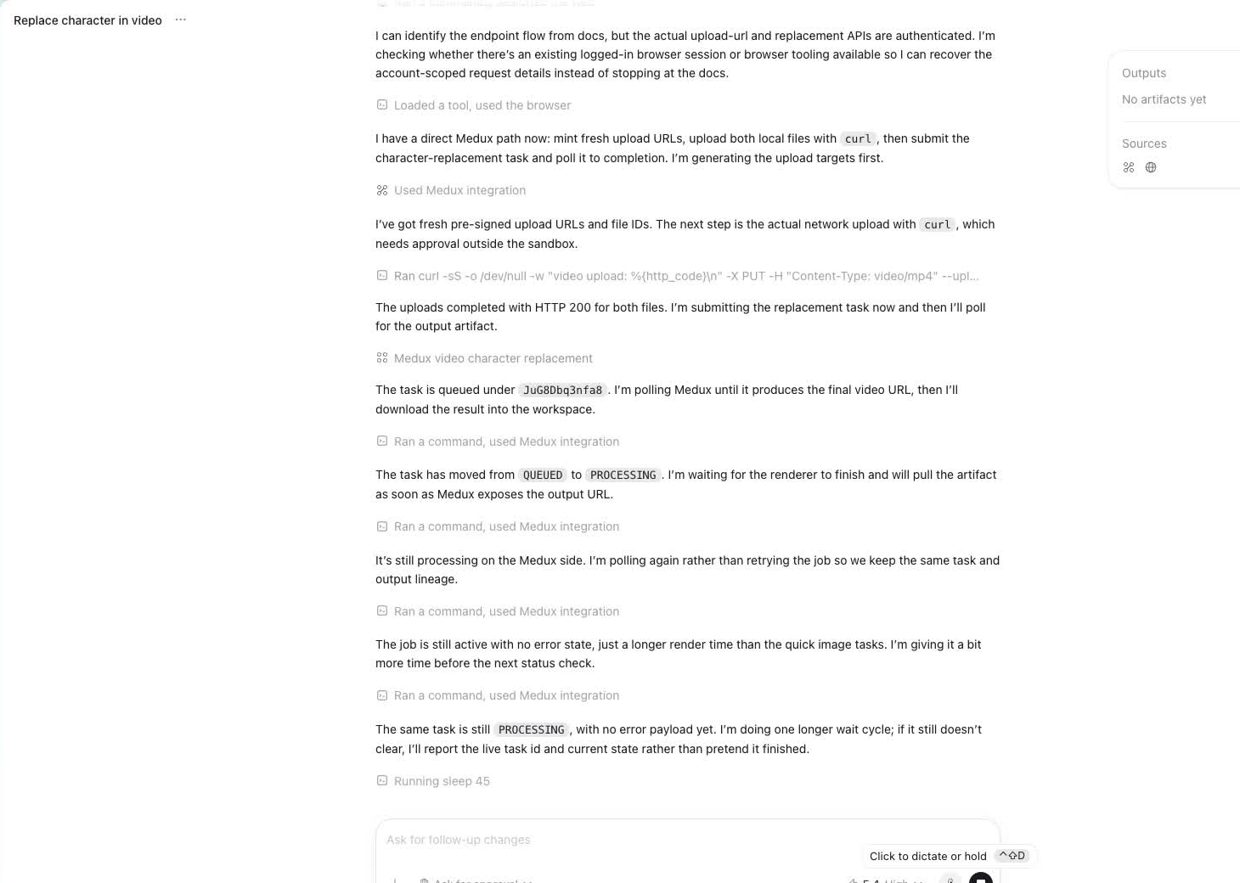
Codex polls the Medux character replacement task
Codex waits on the same task lineage and keeps the workflow hands-free.
05

Download and verify the final video

When the task succeeds, Medux returns the final MP4 URL. Codex downloads the result into the workspace and verifies the output. In the demo, the finished file is saved as character_replacement_result.mp4.

# Example result step
curl -L "<MEDUX_RESULT_VIDEO_URL>"   -o "character_replacement_result.mp4"

# Optional local check
ffprobe -v error -show_entries format=duration,size   -of default=noprint_wrappers=1 "character_replacement_result.mp4"
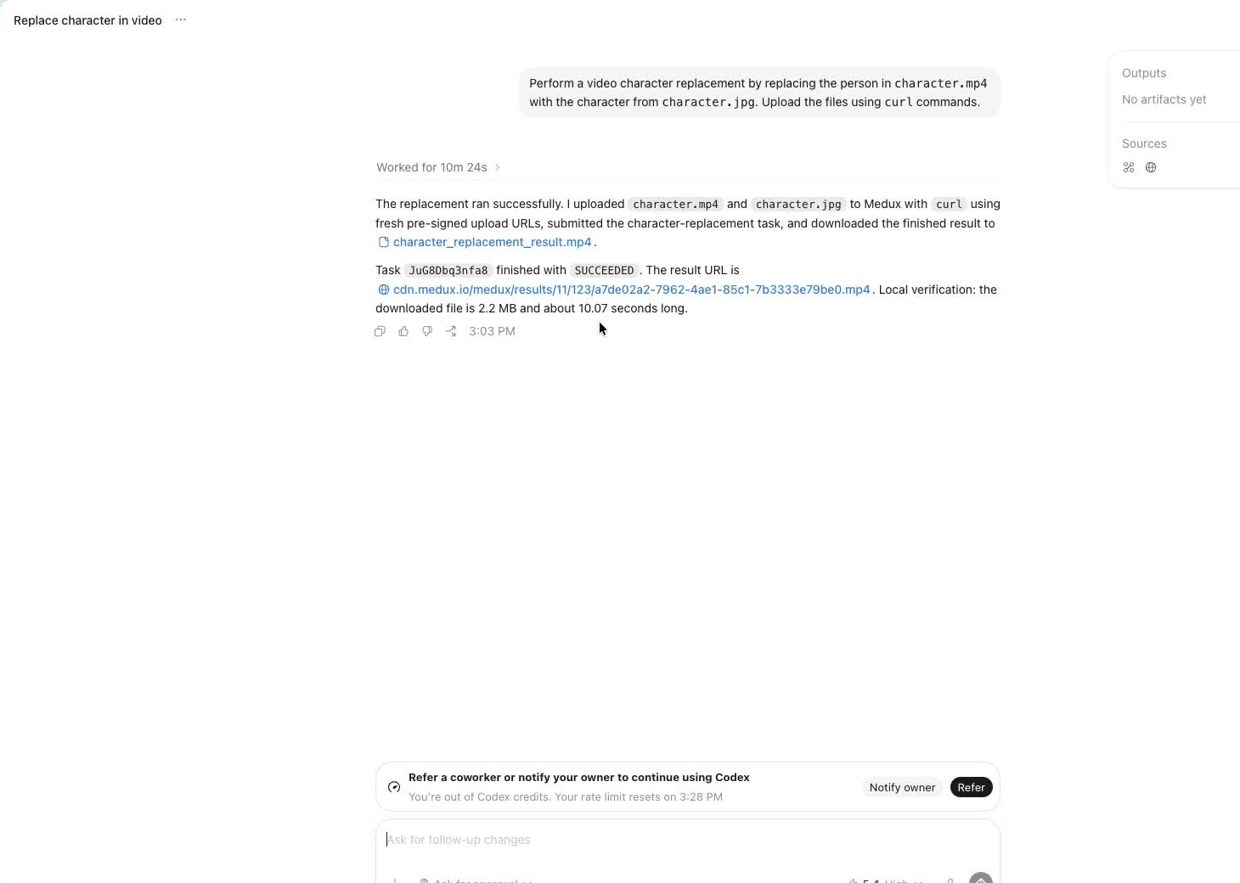
Codex downloads the successful Medux character replacement output
The final output is downloaded locally after Medux reports a successful render.

Why this workflow is useful

Medux handles the AI rendering, while Codex handles the operating work: checking assets, creating upload targets, running the correct MCP tool, tracking the job, and saving the final video. The result is a repeatable video character replacement workflow without a separate upload dashboard or custom API script.

Clear input files
Controlled MCP approvals
Repeatable final output

Example result

src / tgt / rst demonstration

Below is the complete character-replacement example: src is the original source video, tgt is the reference character, and rst is the final video generated by Medux.

src
Source video. Original input video used for character replacement.
tgt
Reference character image for character replacement
Reference character. Target character image used to guide the replacement.
rst
Generated result. Final character-replacement video generated by Medux.

Quick answer

How do I run AI Video Character Replacement with Codex MCP?

Codex can use medux_video_character_replacement through Medux MCP to replace a video character using a source clip and reference character image. The workflow identifies the exact inputs, reviews the tool arguments, monitors processing, and verifies the returned result.

What does this Medux tutorial cover?

Codex can use medux_video_character_replacement through Medux MCP to replace a video character using a source clip and reference character image. The workflow identifies the exact inputs, reviews the tool arguments, monitors processing, and verifies the returned result.

Related topics: AI Video Character Replacement · AI Video Character Replacement with Codex MCP · Medux MCP tutorial