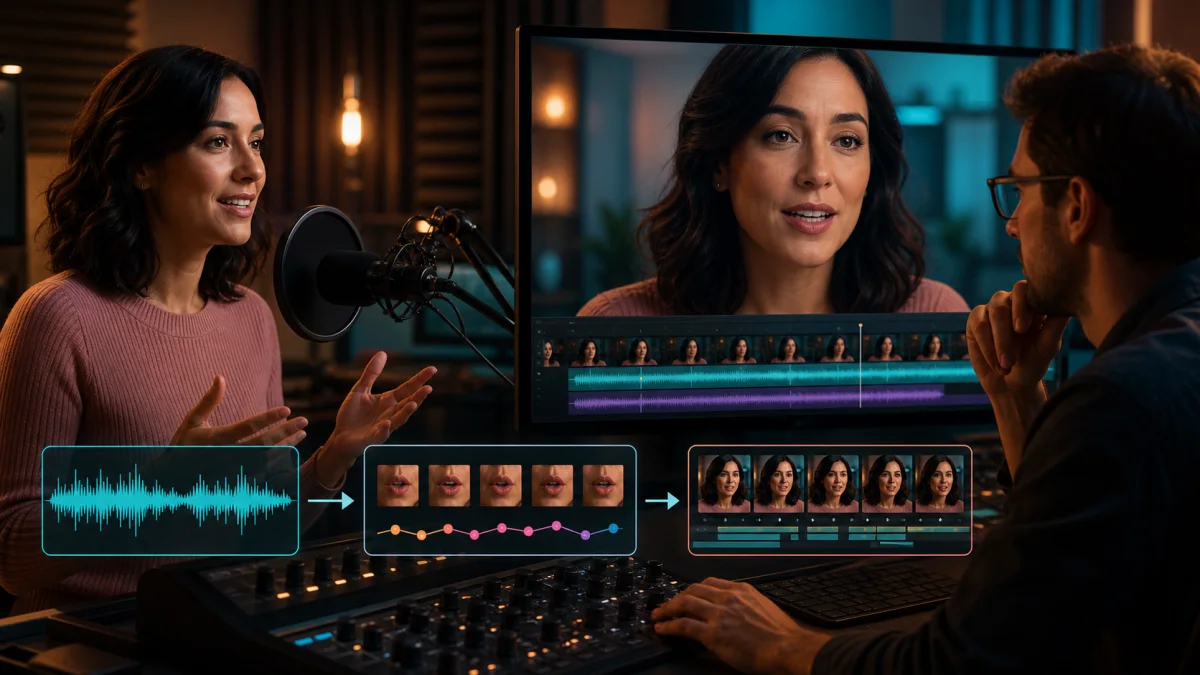
AI lip sync video online should be simple: choose an approved face or avatar, add a voice track, and receive a talking video whose mouth, jaw, and expression follow the speech naturally. The hard part is making that simple interaction reliable enough for marketing, education, localization, or product content.
Medux combines a strong audio-driven video workflow with a practical free allowance. You can test a short clip in the same media layer that later supports API or MCP automation—without beginning with a specialist subscription.
What you need for a natural result
The model can only work with the evidence in the face and audio. The best source has:
- a frontal or three-quarter face with visible lips;
- consistent light and enough detail around the mouth;
- limited motion blur, cuts, hands, microphones, or hair over the lower face;
- a neutral-to-moderate starting expression;
- clean speech with little echo, background music, or overlapping voices;
- explicit permission to use both the likeness and the audio.
A studio portrait is not mandatory. A phone clip can work well if the face is large enough and the audio is clean. When the face occupies only a few pixels, no model can invent reliable articulation without risk.
How Medux audio-driven video works
The workflow separates identity from performance. The avatar or video source establishes the visible person. The audio asset establishes timing, language, pacing, and emotion. Medux creates an asynchronous task and returns the completed output when processing succeeds.
In practical terms:
- prepare or upload the authorized avatar asset;
- upload the approved audio file;
- submit the audio-driven video request;
- save the returned task ID;
- monitor status rather than holding one request open;
- retrieve the result and review the whole clip with sound.
The tutorial shows this flow through Medux MCP, which lets a connected agent handle asset preparation, tool arguments, task monitoring, and result retrieval. The public API exposes the same core operation for application workflows.
Free monthly credits make testing meaningful
Medux Free currently includes 1,000 trial credits every month. Audio-driven video is listed at 10 credits per generated second, so the allowance represents up to 100 seconds in simple usage arithmetic.
Those seconds cannot be treated as one unrestricted production batch. Free currently limits video jobs to 30 seconds, output to 720p, concurrency to one task, and includes a Medux watermark. Write and read rate limits also apply. The allowance is best used for several short evaluation clips that reveal whether the face, language, and speaking style work.
Once the route passes review, Starter currently includes 19,000 credits for $19 per month, supports up to 180-second video tasks and 1080p, increases concurrency, allows commercial use, and removes the Medux watermark. Check live plan terms before launch.
A better lip-sync test script
Do not evaluate with one easy sentence. Record a ten- to fifteen-second script that contains:
- closed-mouth sounds such as M, B, and P;
- teeth-visible sounds such as F and V;
- a quick phrase followed by a pause;
- a number or proper name that needs exact timing;
- a smile, question, or emotional emphasis;
- the target language's difficult consonant clusters.
Review at normal speed first. Then inspect difficult moments frame by frame. Look beyond the lips: convincing output includes jaw, cheeks, expression, blinking, and head movement that remain coherent with the source identity.
From one clip to a repeatable workflow
For a single test, the playground keeps the experience approachable. For a content series, store the source asset IDs, audio version, task ID, model or operation version, output checksum, language, reviewer, and approval state.
Use a naming convention that distinguishes draft audio from the final licensed track. Never let automation choose a voice merely because the filename is similar. If the face or audio changes after approval, create a new task and review again.
For batches, submit work asynchronously, cap retries, and expose task state to the operator. A timeout does not always mean the generation failed; polling the known task is safer than blindly creating duplicates.
Common causes of weak lip sync
Mouth flicker often comes from low facial resolution, motion blur, or strong compression. Flat emotion can come from a source expression that conflicts with the voice. Timing errors may be amplified by echo, music, or several speakers in one audio track.
Fix the evidence before spending on retries. Crop or choose a clearer source, isolate the intended voice, normalize the audio, and use shorter logical segments. If a hand crosses the mouth for several seconds, choose another take or plan a cut.
Use faces and voices responsibly
AI lip sync can make a person appear to say words they never recorded on camera. Obtain clear consent for the intended script, language, channel, and duration of use. Keep the source audio and approval record. Apply disclosure or provenance requirements for the market and platform where the video will appear.
With those safeguards, Medux offers a straightforward path from experiment to production: free monthly credits for a real test, SOTA-grade audio-driven video quality, and one workflow that remains useful when the project grows beyond a single talking clip.