Image to Video API
This page calls the Image to Video API with the MiniMax H3 model. Use the same request in your own app.
Read the Image to Video API reference

See a flat sketch gain shape, color, and movement as it leaves the page. Explore the free online example, then make a design reveal, a family keepsake, or a playful short with your own drawing or object photo. MiniMax H3 turns the source image into a moving scene.
Start with 3,000 free trial credits for eligible tasks. Compare free credits and usage limits.
Your photo becomes the first frame. Pick a preset, then edit any detail you like.
Model: Loading model…
Sign in to see the current credit cost for each model.
The latest task appears below. Processing continues on the server if you leave this page.
No video yet. Generate one to see it here.
Use the service behind this Workshop in your application or AI agent. Explore the API reference and its corresponding MCP tool before starting an integration.
This page calls the Image to Video API with the MiniMax H3 model. Use the same request in your own app.
Read the Image to Video API referenceConnect Medux to your agent and run the same prompt through the matching MCP tool.
Open the MCP tool referenceUpload your photo, or tap a sample to try it right away.
Each preset is a tested MiniMax H3 prompt. Edit the quoted line or any detail to make it yours.
Check the credit estimate, generate, then preview and download your video.
The fun of this effect is the moment a familiar sketch becomes something you can imagine touching. A drawn car can gain shiny surfaces and drive across a desk; a tiny figure can blink and move. The free online example shows the transformation before you try your own idea.
Select these sample inputs in the tool above, or use images you have permission to work with. The video is an example of the effect; your result will reflect your own images and prompt.
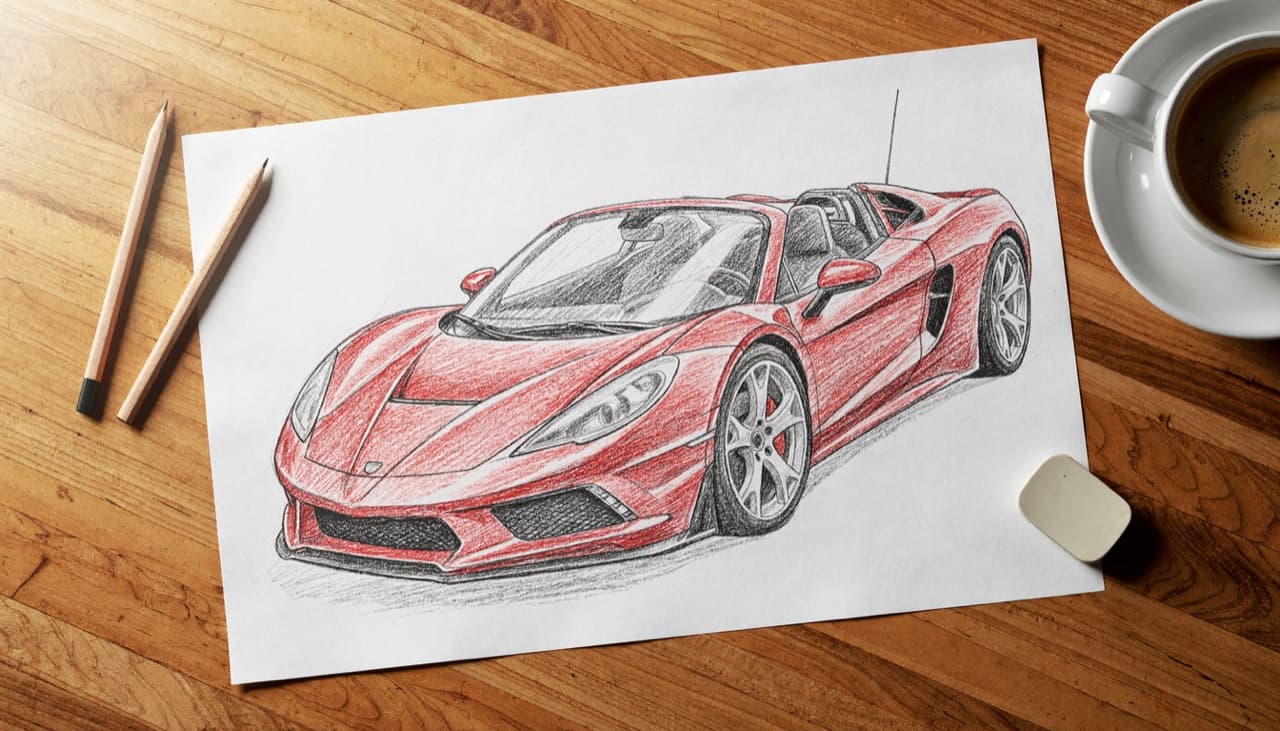
The shape and colors of the source drawing should still be visible when it becomes a moving object. That visual connection makes the reveal satisfying, even in a short clip.
Animate a design sketch for a concept pitch, turn a family drawing into a keepsake, or make a playful social post from a doodle or desk toy.
A car can drive, a creature can blink, or a flower can open. One clear motion makes the final video easier to follow than a long list of unrelated effects.
Give a child's artwork a magical moment the whole family will want to share.
Show designers' and illustrators' concepts turning into real objects.
Bring a figure or keepsake to life for a playful short.
Photograph the drawing flat and evenly lit so the first frame stays clean.
Replace "the same object" with what you drew, such as "a red dragon", for a more accurate result.
Mention one or two sounds, like a roar or a splash, and H3 generates them with the video.
Clear photos of sketches, doodles, illustrations, and small objects work as starting points. Describe what the subject should become and one action it should take, such as driving off the paper or waving at the camera.
No. Each preset is a complete prompt. Pick one, upload your photo, and generate. You can still edit any word before you start.
The example videos and images are free to browse online, and you can explore unlimited creative ideas. Generating with MiniMax H3 requires a Starter plan or higher and available credits. Check the live estimate before creating.
MiniMax H3 does not accept audio uploads. Describe the voice or sound in the prompt instead, such as "a warm, calm voice"; speech and sound effects are generated with the video.
Upload photos you own or have permission to use. Anyone shown must be an adult who has agreed to appear, and products must be ones you are allowed to promote.
This play runs the MiniMax H3 model, which needs a Starter plan or higher. See Pricing for plan details.
Sign in to see the live estimate for the selected duration, clarity, and aspect ratio before you submit.
Yes. Processing continues on the server. Come back to this page or open Account Results to find your video.